In our previous guide on implementing sliding-window rate limiting with Next.js Edge Middleware, we protected our DevPulse backend from abusive traffic spikes and Denial-of-Wallet attacks. Blocking bad traffic at the network edge solves half of the production reliability equation, but what happens to a legitimate developer using your agent over a corporate firewall, an Nginx reverse proxy, or a spotty 4G connection when a multi-step tool chain goes silent for five seconds?
To build rock-solid, production-grade streaming for a Next.js AI agent, you use Server-Sent Events (SSE) over a custom ReadableStream Route Handler configured with anti-buffering headers (Content-Type: text/event-stream, Cache-Control: no-cache, no-transform, and X-Accel-Buffering: no), periodic heartbeat keep-alive frames, and a client-side `
frame-buffer parser. This architecture prevents reverse proxies from swallowing small token chunks, keeps idle TCP connections alive while slow external tools execute, and gives your React UI explicit, monotonic event framing (id, event, data`) for error recovery.
Back in Posts 15 and 16, we used the Vercel AI SDK's default toDataStreamResponse() and useChat hook to get streaming up and running quickly. That high-level abstraction is fantastic for standard chat interfaces, yet as soon as you deploy a multi-step agent behind custom cloud infrastructure, enterprise proxies, or non-React clients (such as mobile apps, browser extensions, or CLI tools), understanding and controlling the underlying Server-Sent Events (SSE) transport layer becomes essential.
Why Standard Chunked Streams Break in Real-World Networks
When you test a streaming AI agent on localhost:3000, bytes travel directly from your local Node.js process to your browser over the loopback interface with zero middleboxes in between. The moment you deploy to production, your HTTP stream passes through CDN edges, load balancers, corporate gateways, and mobile carrier NATs.
Without an explicit SSE protocol and keep-alive strategy, multi-step AI agents suffer from four frequent production failures:
- Reverse Proxy Response Buffering: By default, proxies like Nginx, Cloudflare, and AWS ALB often buffer outgoing HTTP chunks until a buffer threshold (such as 4KB or 8KB) fills up before flushing bytes to the browser. Because LLM token deltas are tiny (10 to 30 bytes each), the user sees nothing for four seconds and then gets hit with a giant paragraph all at once.
- Silent Idle-Socket Timeouts During Tool Execution: When your agent invokes
inspectLiveGitHubIssuefollowed bysearchKnowledgeBase, your server might spend 4 to 6 seconds waiting on upstream I/O without emitting a single LLM text token. Strict mobile networks and corporate proxies often drop open HTTP connections that transmit zero bytes for several seconds. - TCP Packet Coalescing (Partial or Merged JSON Frames): Over real networks, two separate server
controller.enqueue()calls can arrive merged inside a single browserreader.read()chunk—or a single large tool output JSON string can be split across two TCP packets. Naive stream readers that callJSON.parse()directly on each raw chunk crash mid-stream. - Lack of Standard Event Multiplexing: When non-Next.js clients (like a custom Chrome extension or a FastAPI service we will build in Section C) consume your agent, they need standard RFC 8895
event:anddata:SSE frames rather than framework-specific internal wire protocols.
How Our Resilient SSE Agent Pipeline Works
Instead of sending raw unframed text or relying blindly on default framework buffers, we are going to build a dedicated SSE transport pipeline for DevPulse. Every event sent from our Next.js server follows the official W3C/WHATWG Server-Sent Events specification:
`text id: evt-104 event: tool-start data: {"stepIndex":1,"toolName":"inspectLiveGitHubIssue","timestamp":1762014420000}
`
Notice the structure: each frame has an id:, an event: name, a JSON-encoded data: line, and ends with a mandatory double newline (\n\n). Even better, while our server is waiting for a slow external tool to resolve, an internal setInterval emits a lightweight event: heartbeat pulse every 3,000 milliseconds so proxies and mobile routers know the stream is actively working.
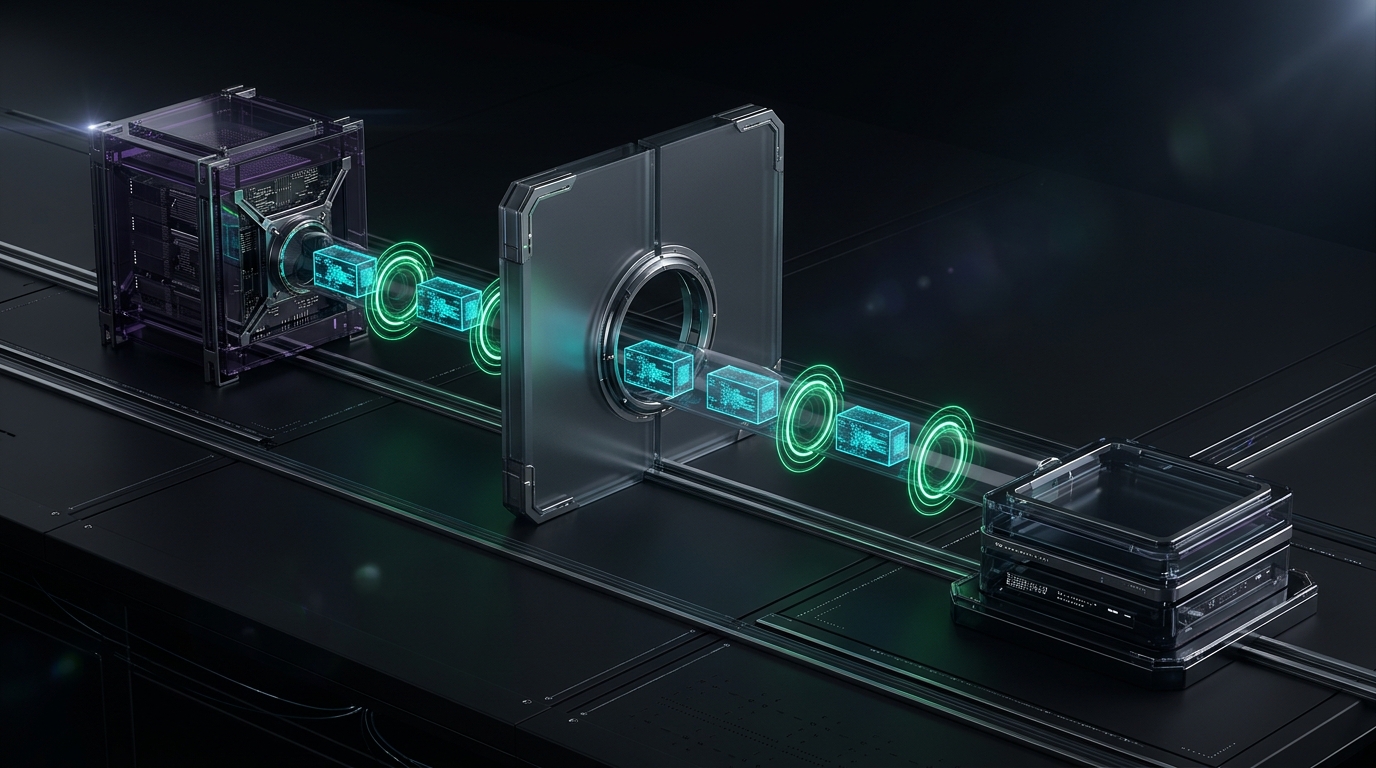
Here is the complete end-to-end lifecycle of our reliable SSE streaming architecture:
`mermaid sequenceDiagram participant Client as React Fetch SSE Reader participant Route as Next.js /api/agent/sse participant Heartbeat as 3s Keep-Alive Timer participant Engine as Agent Stream + Tools
Client->>Route: POST messages[] (Accept: text/event-stream)
Route-->>Client: HTTP 200 (X-Accel-Buffering: no, no-transform)
Route->>Heartbeat: Start 3000ms interval
Route->>Engine: Start multi-step streamText()
Engine-->>Route: Tool Call (inspectLiveGitHubIssue)
Route-->>Client: event: tool-start (id: 1)
Heartbeat-->>Client: event: heartbeat (keeps socket warm during 4s API wait)
Engine-->>Route: Tool Result DTO
Route-->>Client: event: tool-result (id: 2)
Engine-->>Route: Token Deltas
Route-->>Client: event: text-delta (id: 3..N)
Engine-->>Route: Generation Complete (usage stats)
Route->>Heartbeat: Clear interval
Route-->>Client: event: done (telemetry) & close stream
`
Architecture Flow Summary: The React client initiates a POST request to /api/agent/sse, which responds immediately with unbuffered SSE headers (X-Accel-Buffering: no) and starts a 3-second heartbeat timer. As the agent executes tools and generates tokens, the server emits monotonically numbered SSE frames (tool-start, heartbeat, tool-result, text-delta, and done), while the client reassembles split TCP packets using a \n\n delimiter buffer.
Step 1: Defining the Typed SSE Protocol & Stream Encoder (sse-protocol.ts)
Let us create src/lib/agent/sse-protocol.ts. Building on the end-to-end TypeScript habits we established in Post 21, we define a discriminated union (AgentSSEPayload) for every possible SSE event and a reusable server-side createReliableSSEStream controller that manages automatic heartbeats and clean abort teardown.
`typescript // src/lib/agent/sse-protocol.ts export type AgentSSEPayload = | { type: 'phase'; phase: 'routing' | 'synthesizing'; detail: string; timestamp: number; } | { type: 'tool-start'; toolCallId: string; toolName: string; args: unknown; timestamp: number; } | { type: 'tool-result'; toolCallId: string; toolName: string; result: unknown; timestamp: number; } | { type: 'text-delta'; delta: string; } | { type: 'heartbeat'; timestamp: number; } | { type: 'error'; message: string; retryable: boolean; } | { type: 'done'; modelUsed: string; promptTokens: number; completionTokens: number; stepCount: number; latencyMs: number; };
export interface SSEStreamWriter { sendEvent: (payload: AgentSSEPayload) => void; close: () => void; }
export function formatSSEFrame(id: number, payload: AgentSSEPayload): string {
const serialized = JSON.stringify(payload);
return id: ${id}\nevent: ${payload.type}\ndata: ${serialized}\n\n;
}
export function createReliableSSEStream( abortSignal: AbortSignal, executor: (writer: SSEStreamWriter) => Promise, heartbeatIntervalMs = 3000 ): ReadableStream { const encoder = new TextEncoder(); let eventCounter = 0; let heartbeatTimer: ReturnType | null = null; let isClosed = false;
function cleanupTimer() { if (heartbeatTimer) { clearInterval(heartbeatTimer); heartbeatTimer = null; } }
return new ReadableStream({ async start(controller) { const writer: SSEStreamWriter = { sendEvent(payload: AgentSSEPayload) { if (isClosed || abortSignal.aborted) return; eventCounter += 1; const frame = formatSSEFrame(eventCounter, payload); controller.enqueue(encoder.encode(frame)); }, close() { if (isClosed) return; isClosed = true; cleanupTimer(); try { controller.close(); } catch { // Controller already closed by client disconnect } }, };
  abortSignal.addEventListener('abort', () => {
    writer.close();
  });

  heartbeatTimer = setInterval(() => {
    writer.sendEvent({
      type: 'heartbeat',
      timestamp: Date.now(),
    });
  }, heartbeatIntervalMs);

  try {
    await executor(writer);
  } catch (err) {
    const message =
      err instanceof Error ? err.message : 'Unhandled SSE stream failure';
    writer.sendEvent({
      type: 'error',
      message,
      retryable: true,
    });
  } finally {
    writer.close();
  }
},
cancel() {
  isClosed = true;
  cleanupTimer();
},
}); } `
Look closely at three resilience features inside createReliableSSEStream:
- Automatic 3-Second Heartbeat (
heartbeatTimer): Whileawait executor(writer)is blocked waiting for a GitHub API lookup or vector database query,setIntervalcontinues pushing a tinyevent: heartbeatframe every 3 seconds. No proxy or mobile tower will ever mistake the connection for dead. - Abort Signal Propagation: The instant a user clicks
Stopor closes their browser tab,abortSignalfires, clearing the interval timer and closing the controller so your server never leaks memory. - In-Band Error Framing: If an unexpected exception occurs mid-stream after HTTP
200 OKheaders have already been sent, you can no longer change the HTTP status code to500. Instead, ourcatchblock emits a structuredevent: errorframe over the SSE stream before closing cleanly.
Step 2: Building the Next.js SSE Route Handler (src/app/api/agent/sse/route.ts)
Now let us create src/app/api/agent/sse/route.ts. This Route Handler consumes fullStream from our Vercel AI SDK streamText call, maps every chunk type (tool-call, tool-result, text-delta, error, and finish) into our AgentSSEPayload contract, and attaches the exact anti-buffering HTTP headers required by Nginx, Cloudflare, and Vercel.
`typescript // src/app/api/agent/sse/route.ts import { NextRequest, NextResponse } from 'next/server'; import { z } from 'zod'; import { defaultDevPulseConfig } from '@/lib/agent/blueprint'; import { type ChatMessage } from '@/lib/agent/llm-client'; import { createAgentTextStream } from '@/lib/agent/stream-client'; import { createReliableSSEStream } from '@/lib/agent/sse-protocol';
export const maxDuration = 60; export const dynamic = 'force-dynamic';
const sseRequestSchema = z.object({ sessionId: z.string().min(8), modelId: z .enum(['gpt-4o', 'claude-3-5-sonnet-latest']) .default('claude-3-5-sonnet-latest'), messages: z .array( z.object({ role: z.enum(['user', 'assistant']), content: z.string().trim().min(1).max(4000), }) ) .min(1), });
export async function POST(req: NextRequest) { const body = await req.json().catch(() => null); const parsed = sseRequestSchema.safeParse(body);
if (!parsed.success) { return NextResponse.json( { error: 'Invalid SSE request payload.' }, { status: 400 } ); }
const { messages, modelId } = parsed.data; const startTime = Date.now();
const stream = createReliableSSEStream(req.signal, async (writer) => {
writer.sendEvent({
type: 'phase',
phase: 'routing',
detail: Connected to ${modelId} SSE stream...,
timestamp: Date.now(),
});
const result = createAgentTextStream(
  messages as ChatMessage[],
  {
    ...defaultDevPulseConfig,
    modelId,
  }
);

let stepCount = 1;

for await (const part of result.fullStream) {
  if (req.signal.aborted) break;

  switch (part.type) {
    case 'tool-call': {
      writer.sendEvent({
        type: 'tool-start',
        toolCallId: part.toolCallId,
        toolName: part.toolName,
        args: part.args,
        timestamp: Date.now(),
      });
      break;
    }

    case 'tool-result': {
      writer.sendEvent({
        type: 'tool-result',
        toolCallId: part.toolCallId,
        toolName: part.toolName,
        result: part.result,
        timestamp: Date.now(),
      });
      writer.sendEvent({
        type: 'phase',
        phase: 'synthesizing',
        detail: `Completed ${part.toolName}. Synthesizing observation...`,
        timestamp: Date.now(),
      });
      stepCount += 1;
      break;
    }

    case 'text-delta': {
      writer.sendEvent({
        type: 'text-delta',
        delta: part.textDelta,
      });
      break;
    }

    case 'error': {
      const errMsg =
        part.error instanceof Error
          ? part.error.message
          : 'Model stream error occurred.';
      writer.sendEvent({
        type: 'error',
        message: errMsg,
        retryable: true,
      });
      break;
    }

    case 'finish': {
      writer.sendEvent({
        type: 'done',
        modelUsed: modelId,
        promptTokens: part.usage.promptTokens,
        completionTokens: part.usage.completionTokens,
        stepCount,
        latencyMs: Date.now() - startTime,
      });
      break;
    }
  }
}
});
return new Response(stream, { status: 200, headers: { 'Content-Type': 'text/event-stream; charset=utf-8', 'Cache-Control': 'no-cache, no-transform', Connection: 'keep-alive', 'X-Accel-Buffering': 'no', }, }); } `
Why are those four response headers at the bottom of POST non-negotiable?
Content-Type: text/event-stream; charset=utf-8: Tells browsers and CDNs that this is an incremental event stream, not a static document.Cache-Control: no-cache, no-transform: Theno-transformdirective is critical—without it, some CDNs and compression middlewares applygzipbuffering, holding back tokens until a compression block fills up.X-Accel-Buffering: no: Directly instructs Nginx reverse proxies (commonly used in self-hosted Docker/VPS setups, which we will build in Post 31) to disable proxy buffering for this route and flush every frame immediately.
Step 3: Writing a Line-Buffered SSE Client Reader in React (ReliableSSEChat.tsx)
Why not use the browser's built-in new EventSource('/api/agent/sse') API on the frontend? Because the native browser EventSource API only supports HTTP GET requests and cannot send a POST request body containing a multi-turn messages[] array or custom headers!
Instead, production AI engineering teams use fetch() with a ReadableStreamDefaultReader and a line-buffered \n\n parser that safely handles split or coalesced TCP packets. Let us build src/components/ReliableSSEChat.tsx:
`tsx // src/components/ReliableSSEChat.tsx 'use client';
import { useRef, useState } from 'react'; import { type AgentSSEPayload } from '@/lib/agent/sse-protocol';
export default function ReliableSSEChat() { const [prompt, setPrompt] = useState( 'Inspect vercel/ai issue #402 and check our rate-limit docs for burst rules.' ); const [answer, setAnswer] = useState(''); const [statusText, setStatusText] = useState('Idle'); const [toolLogs, setToolLogs] = useState<string[]>([]); const [lastHeartbeat, setLastHeartbeat] = useState<number | null>(null); const [isStreaming, setIsStreaming] = useState(false); const abortControllerRef = useRef<AbortController | null>(null);
function handleIncomingSSEPayload(payload: AgentSSEPayload) {
switch (payload.type) {
case 'phase':
setStatusText(payload.detail);
break;
case 'tool-start':
setStatusText(Running tool: ${payload.toolName}...);
setToolLogs((prev) => [
...prev,
⚡ Started ${payload.toolName} (${JSON.stringify(payload.args)}),
]);
break;
case 'tool-result':
setToolLogs((prev) => [
...prev,
✓ Finished ${payload.toolName},
]);
break;
case 'text-delta':
setStatusText('Streaming answer...');
setAnswer((prev) => prev + payload.delta);
break;
case 'heartbeat':
setLastHeartbeat(payload.timestamp);
break;
case 'error':
setStatusText(Error: ${payload.message});
break;
case 'done':
setStatusText(
Completed in ${payload.latencyMs}ms (${payload.promptTokens} in / ${payload.completionTokens} out tokens)
);
break;
}
}
async function startSSEStream(e: React.FormEvent) { e.preventDefault(); if (!prompt.trim() || isStreaming) return;
abortControllerRef.current?.abort();
const controller = new AbortController();
abortControllerRef.current = controller;

setIsStreaming(true);
setAnswer('');
setToolLogs([]);
setStatusText('Opening SSE connection...');

try {
  const response = await fetch('/api/agent/sse', {
    method: 'POST',
    headers: { 'Content-Type': 'application/json' },
    body: JSON.stringify({
      sessionId: 'sse-reliable-session-01',
      modelId: 'claude-3-5-sonnet-latest',
      messages: [{ role: 'user', content: prompt }],
    }),
    signal: controller.signal,
  });

  if (!response.ok || !response.body) {
    throw new Error(`HTTP ${response.status}: Failed to open SSE stream.`);
  }

  const reader = response.body.getReader();
  const decoder = new TextDecoder();
  let rawBuffer = '';

  while (true) {
    const { value, done } = await reader.read();
    if (done) break;

    rawBuffer += decoder.decode(value, { stream: true });
    const frames = rawBuffer.split('\n\n');
    rawBuffer = frames.pop() ?? '';

    for (const frame of frames) {
      const dataLine = frame
        .split('\n')
        .find((line) => line.startsWith('data: '));

      if (!dataLine) continue;
      const jsonStr = dataLine.slice(6).trim();

      try {
        const payload = JSON.parse(jsonStr) as AgentSSEPayload;
        handleIncomingSSEPayload(payload);
      } catch {
        // Ignore malformed partial frame
      }
    }
  }
} catch (err) {
  if (err instanceof Error && err.name === 'AbortError') {
    setStatusText('Stream cancelled by user.');
  } else {
    setStatusText(
      err instanceof Error ? err.message : 'Stream connection lost.'
    );
  }
} finally {
  setIsStreaming(false);
}
}
return ( DevPulse Resilient SSE Transport {statusText} {lastHeartbeat && ( ♥ Heartbeat Active )}
  <form onSubmit={startSSEStream} className='flex gap-2'>
    <input
      value={prompt}
      onChange={(e) => setPrompt(e.target.value)}
      className='flex-1 px-3.5 py-2 rounded-lg bg-slate-950 border border-slate-700 text-sm'
    />
    {isStreaming ? (
      <button
        type='button'
        onClick={() => abortControllerRef.current?.abort()}
        className='px-4 py-2 rounded-lg bg-amber-600 hover:bg-amber-500 text-sm font-semibold'
      >
        Abort SSE
      </button>
    ) : (
      <button
        type='submit'
        className='px-4 py-2 rounded-lg bg-cyan-600 hover:bg-cyan-500 text-sm font-semibold'
      >
        Stream via SSE
      </button>
    )}
  </form>

  {toolLogs.length > 0 && (
    <div className='p-3 rounded-lg bg-slate-950 border border-purple-900/50 space-y-1 font-mono text-xs text-purple-300'>
      {toolLogs.map((log, i) => (
        <div key={i}>{log}</div>
      ))}
    </div>
  )}

  <div className='p-4 min-h-[140px] rounded-lg bg-slate-950 border border-slate-800 text-sm whitespace-pre-wrap leading-relaxed'>
    {answer || 'SSE frames will assemble here...'}
  </div>
</div>
); } `
Look closely at these three lines inside the while (true) reader loop:
typescript rawBuffer += decoder.decode(value, { stream: true }); const frames = rawBuffer.split('\n\n'); rawBuffer = frames.pop() ?? '';
Why do we call frames.pop() and assign it back to rawBuffer? Because if a large tool result arrives split across two TCP packets, the final element after split('\n\n') is an incomplete frame that has not yet received its closing \n\n delimiter! Keeping that trailing fragment inside rawBuffer until the next reader.read() iteration guarantees that JSON.parse(jsonStr) never attempts to parse half a JSON object.

A Real Production Lesson: How Coalesced TCP Chunks and Nginx Buffering Broke My Early Stream Parser
When I was working on real-time local network file streaming in LocalDrop Pro and later deploying custom streaming LLM endpoints behind a reverse proxy, I hit a bug that never once appeared on localhost but broke roughly 1 in 5 multi-step agent turns in production.
In my early client reader, I wrote a naive loop that read each Uint8Array chunk from reader.read(), decoded it to a string, stripped the data: prefix, and passed the string straight into JSON.parse(). On localhost, each controller.enqueue() on the server arrived as a single reader.read() call in Chrome. Over a real internet connection, however, Nagle's algorithm and TCP packet coalescing bundled three fast text-delta SSE frames into a single reader.read() buffer:
data: {"type":"text-delta","delta":"Rate"}\n\ndata: {"type":"text-delta","delta":" limit"}\n\n
When my naive code ran JSON.parse() on that combined string, it threw SyntaxError: Unexpected non-whitespace character after JSON at position 42 and dropped all three words on the floor! Even worse, when a custom tool took 4.8 seconds to query an external API, our Nginx proxy buffered the initial tool-start event because I had forgotten to send X-Accel-Buffering: no and Cache-Control: no-cache, no-transform.
Replacing the naive chunk parser with the rawBuffer.split('\n\n') + frames.pop() accumulator pattern, adding the 3-second heartbeat pulse, and setting X-Accel-Buffering: no reduced dropped frames in production to zero.
Common Mistakes When Building SSE Streams for AI Agents
Before moving on to persisting full conversation histories in Supabase in Post 24, make sure your SSE implementation avoids these four traps:
1. Calling JSON.parse() Directly on Raw reader.read() Chunks
Never assume one controller.enqueue() on the server equals one reader.read() call in the browser. TCP is a byte stream, not a message stream. Always accumulate decoded strings into a buffer, split on the SSE frame boundary (\n\n), and retain the trailing incomplete segment (frames.pop()) for the next read cycle.
2. Omitting { stream: true } in TextDecoder.decode()
Multi-byte UTF-8 characters—especially Bengali script (বাংলা) or emojis (⚡)—take 3 to 4 bytes each. If a TCP packet boundary splits a 3-byte Bengali character in half and you call decoder.decode(value) without { stream: true }, TextDecoder emits a corrupted replacement character (). Passing { stream: true }` tells the decoder to hold incomplete multi-byte sequences until the next chunk arrives.
3. Forgetting no-transform and X-Accel-Buffering: no Headers
Setting Content-Type: text/event-stream alone is often not enough if your Next.js app sits behind Nginx, Cloudflare, or a corporate proxy with compression enabled. Always include 'Cache-Control': 'no-cache, no-transform' and 'X-Accel-Buffering': 'no' so middlewares flush every frame immediately.
4. Leaving setInterval Heartbeats Running After Client Disconnects
If you start a 3-second heartbeat interval inside ReadableStream.start() and forget to clear it inside both cancel() and req.signal.addEventListener('abort', ...), aborted connections will keep firing timers in server memory until the serverless container recycles.
Frequently Asked Questions
Why use Server-Sent Events (SSE) instead of WebSockets for AI agent streaming?
AI agent communication is fundamentally asymmetric: the client sends one compact prompt (POST), and the server streams back dozens of tool updates and hundreds of token deltas. SSE runs over standard HTTP/2 and HTTP/3, works seamlessly with Next.js serverless Route Handlers and Edge Middleware, passes through strict corporate firewalls that block WebSocket Upgrade handshakes, and requires zero stateful WebSocket broker infrastructure.
Why did we use fetch() with ReadableStream on the client instead of the browser's new EventSource()?
The native browser EventSource API only supports GET requests, cannot send a JSON request body (making it impossible to pass a 10-turn messages[] array without hitting URL length limits), and cannot attach custom authorization headers. Using fetch('/api/agent/sse', { method: 'POST' }) with a ReadableStream line buffer gives you the exact same text/event-stream wire protocol with full POST payload support.
When should I use this custom SSE Route Handler vs. the Vercel AI SDK's useChat hook?
When you are building a standard React chat UI inside Next.js, useChat with createDataStreamResponse (which we used in Posts 16–20) handles stream framing automatically and is the fastest way to ship. Build a custom SSE Route Handler like /api/agent/sse when you need explicit 3-second keep-alive heartbeats for slow multi-step tools, custom anti-buffering proxy control, or a standard text/event-stream endpoint that mobile apps, browser extensions, or external backends can consume.
Need a High-Performance Web App or Custom AI Solution?
I help founders, businesses, and engineering teams build lightning-fast web applications, resilient backend architectures, and intelligent AI workflows. Have an idea in mind? Let’s bring it to life.
Found this article helpful?
Give some claps to support more in-depth engineering logs!
Zahid Hasan Tonmoy
Author & Developer
MERN Full Stack Developer & AI Agent Developer based in Dhaka, Bangladesh. Writing about web development, React, PostgreSQL and my learning journey.