
In our previous guide on rendering streaming responses in React UI with the useChat hook, we completed Phase 1 of our implementation roadmap by building a responsive chat interface with ~300ms time-to-first-token, smart auto-scrolling, and live token telemetry badges. Yet if you ask our DevPulse assistant a project-specific question right now—such as whether bug ISS-402 is still open or what our internal rate-limit docs say—it can only guess. It has a fast voice, but it still has no hands.
To give a streaming Next.js AI agent the ability to take real actions, you bind Zod-validated server functions to the Vercel AI SDK's tool() helper, pass them into streamText() alongside a bounded maxSteps parameter, and render the resulting message.toolInvocations array inside your React useChat interface. This architecture lets OpenAI or Claude pause text generation mid-stream, execute server-side TypeScript code against your documentation or issue tracker, feed the structured JSON output back into the model, and stream the final verified answer over a single HTTP connection.
This post kicks off Phase 2 (Posts 17–21) of our hands-on roadmap. Back in Posts 12 and 13, we wrote the Zod schemas (blueprint.ts) and the server-side tool switch (tools.ts) for searchKnowledgeBase, checkIssueTracker, and draftIssueTicket. Today, we connect those exact tools directly to our live OpenAI/Claude streaming engine.
Why a Streaming Chatbot Without Tools Hits a Wall in Production
A raw LLM—even one streaming at 80 tokens per second—is fundamentally a closed-book exam taker. It only knows what was in its training dataset months ago plus whatever text you paste into the current prompt window.
In a real engineering team, users do not open a triage agent to ask general trivia about HTTP status codes. They ask questions that require live system state:
- 'Check our docs for the exact retry header on 429 errors and see if anyone opened an issue about token refresh bursts today.'
- 'Draft a high-severity bug ticket for the auth gateway crash we just discussed.'
Without tool calling, you would have to pre-fetch every possible document and open issue on every single turn and stuff them into the system prompt—wasting thousands of input tokens on simple greetings. With tool calling enabled inside streamText, the LLM decides dynamically whether a turn requires external data, invokes only the relevant TypeScript function on the server, and inspects the result before writing its response.
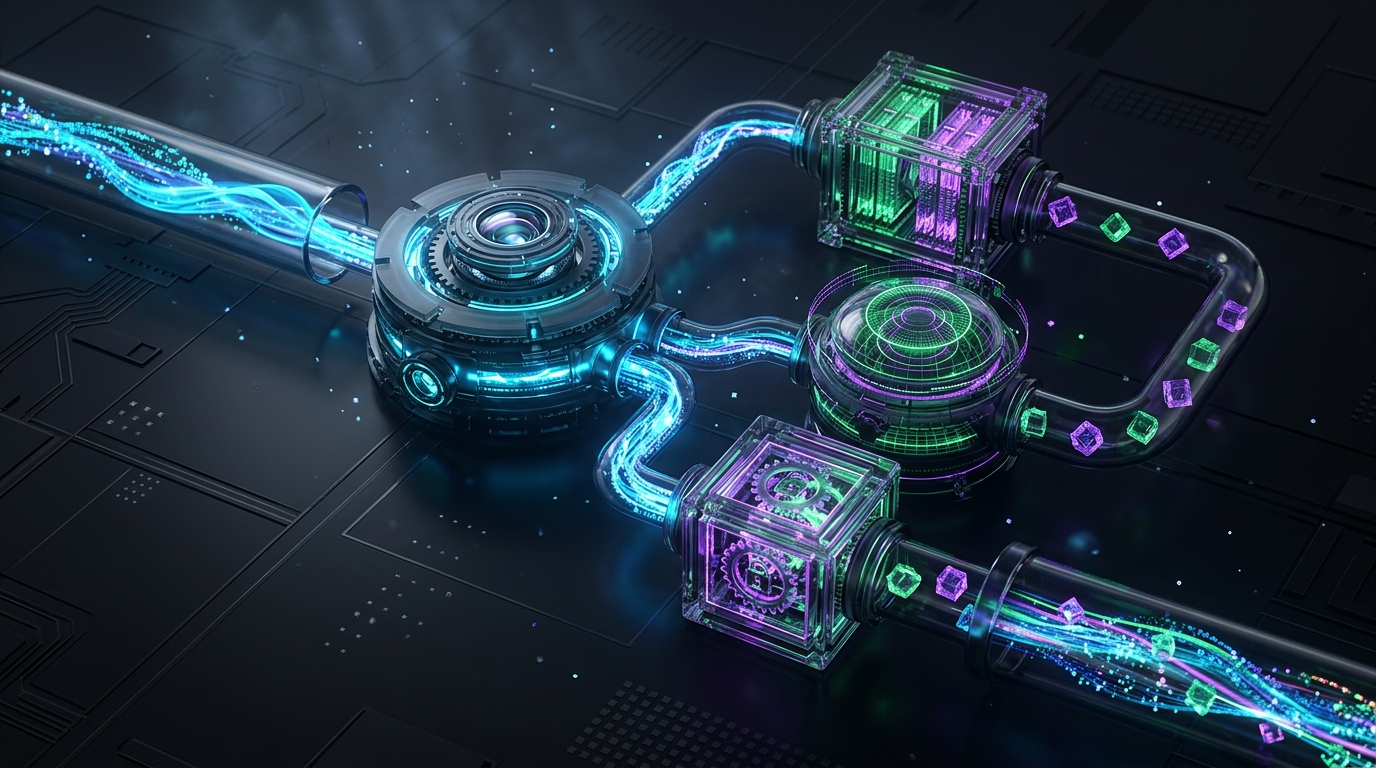
How Tool Calling Works Inside a Live Vercel AI SDK Stream
When you attach tools to a non-streaming endpoint, the server simply blocks until all function calls finish. Doing this inside a live stream is much more interesting because the server has to interleave tool-call frames, tool-result frames, and text delta frames over the same open connection.
Here is what happens under the hood when a user submits a prompt that requires calling searchKnowledgeBase and checkIssueTracker:
`mermaid sequenceDiagram participant UI as React useChat UI participant Route as Next.js /api/chat (streamText) participant LLM as Claude 3.5 Sonnet / GPT-4o participant Tools as Server Tool Registry (vercel-tools.ts)
UI->>Route: POST messages[] + modelId
Route->>LLM: Step 1: Send prompt + Zod tool definitions
LLM-->>Route: Emit tool-call (searchKnowledgeBase)
Route-->>UI: Stream toolInvocation (state = 'call')
Route->>Tools: Execute searchKnowledgeBase(args)
Tools-->>Route: Return matched doc chunks JSON
Route-->>UI: Stream toolInvocation (state = 'result')
Route->>LLM: Step 2: Send tool output back to LLM (maxSteps = 5)
LLM-->>Route: Stream synthesized text answer tokens
Route-->>UI: Stream text deltas + final telemetry annotation
`
Architecture Flow Summary: The React useChat hook sends the user prompt to /api/chat, where streamText provides the LLM with the conversation history and Zod tool schemas. When the model emits a tool call, the server streams a state: 'call' indicator to the UI, executes the TypeScript tool on the server, streams the state: 'result' update, and automatically loops the JSON observation back into the LLM (maxSteps: 5) so it can stream the final synthesized text response.
Step 1: Wrapping Our Blueprint Schemas with the Vercel AI SDK tool() Helper
In Post 12 we created src/lib/agent/blueprint.ts containing our three Zod schemas (searchDocsSchema, checkIssuesSchema, and draftTicketSchema), and in Post 13 we wrote executeAgentTool() in src/lib/agent/tools.ts. Because we designed those modules cleanly from the start, we do not need to rewrite a single validation rule.
Let us create src/lib/agent/vercel-tools.ts, which wraps our existing schemas and executors using the tool() helper from the ai package:
`typescript // src/lib/agent/vercel-tools.ts import 'server-only'; import { tool } from 'ai'; import { searchDocsSchema, checkIssuesSchema, draftTicketSchema, } from './blueprint'; import { executeAgentTool } from './tools';
export const devPulseTools = { searchKnowledgeBase: tool({ description: 'Search internal technical documentation and architecture guides by semantic query. Always call this before answering product-specific API or configuration questions.', parameters: searchDocsSchema, execute: async (args) => { const result = await executeAgentTool('searchKnowledgeBase', args); return result; }, }),
checkIssueTracker: tool({ description: 'Query the project issue tracker for open or closed bug reports matching a keyword or error code.', parameters: checkIssuesSchema, execute: async (args) => { const result = await executeAgentTool('checkIssueTracker', args); return result; }, }),
draftIssueTicket: tool({ description: 'Create a structured bug ticket draft requiring Level 2 human confirmation before database insertion. Call this only when the user asks to report or log a confirmed bug.', parameters: draftTicketSchema, execute: async (args) => { const result = await executeAgentTool('draftIssueTicket', args); return result; }, }), }; `
Notice how the tool() wrapper connects three critical pieces for the LLM:
description: Tells the model when and why to select this tool over the others.parameters: Converts our Zod schema into the exact JSON Schema format required by OpenAI'stoolsarray or Anthropic'sinput_schemaproperty, and automatically validates the LLM's generated arguments beforeexecuteruns.execute: Runs our async server function and returns a plain JSON object that the Vercel AI SDK serializes into the stream.
Step 2: Upgrading stream-client.ts with tools and maxSteps
Now let us open src/lib/agent/stream-client.ts (which we created in Post 15) and attach devPulseTools along with maxSteps: config.maxSteps. We will also add an executedTools list to our StreamTelemetry interface so the UI badge shows exactly how many tools were called during the turn.
`typescript // src/lib/agent/stream-client.ts import 'server-only'; import { streamText, type LanguageModelV1 } from 'ai'; import { createOpenAI } from '@ai-sdk/openai'; import { createAnthropic } from '@ai-sdk/anthropic'; import { type AgentConfig } from './blueprint'; import { sanitizeConversationHistory, type ChatMessage, } from './llm-client'; import { devPulseTools } from './vercel-tools';
function resolveStreamingModel( modelId: AgentConfig['modelId'] ): LanguageModelV1 { if (modelId === 'gpt-4o') { const apiKey = process.env.OPENAI_API_KEY; if (!apiKey) { throw new Error('Missing OPENAI_API_KEY in environment variables.'); } const openai = createOpenAI({ apiKey }); return openai('gpt-4o'); }
const apiKey = process.env.ANTHROPIC_API_KEY; if (!apiKey) { throw new Error('Missing ANTHROPIC_API_KEY in environment variables.'); } const anthropic = createAnthropic({ apiKey }); return anthropic('claude-3-5-sonnet-latest'); }
export interface StreamTelemetry { modelUsed: string; promptTokens: number; completionTokens: number; latencyMs: number; stepCount: number; toolsCalled: string[]; }
export function createAgentTextStream( messages: ChatMessage[], config: AgentConfig, onTelemetryReady?: (telemetry: StreamTelemetry) => void ) { const startTime = Date.now(); const safeMessages = sanitizeConversationHistory(messages, 10); const model = resolveStreamingModel(config.modelId); const toolsCalled: string[] = [];
return streamText({ model, system: config.systemPrompt, messages: safeMessages, tools: devPulseTools, maxSteps: config.maxSteps, temperature: config.temperature, maxTokens: 1024, onStepFinish: ({ toolCalls }) => { if (toolCalls && toolCalls.length > 0) { for (const call of toolCalls) { toolsCalled.push(call.toolName); } } }, onFinish: ({ usage, steps }) => { if (onTelemetryReady) { onTelemetryReady({ modelUsed: config.modelId, promptTokens: usage.promptTokens, completionTokens: usage.completionTokens, latencyMs: Date.now() - startTime, stepCount: steps.length, toolsCalled, }); } }, }); } `
Look closely at two additions in createAgentTextStream:
maxSteps: config.maxSteps(set to5inblueprint.ts): When the LLM decides to callsearchKnowledgeBase, that counts as Step 1. BecausemaxStepsis5,streamTextautomatically takes the JSON returned bysearchKnowledgeBaseand initiates Step 2 with the LLM so it can either call a second tool (checkIssueTracker) or stream the final human-readable answer.onStepFinish: Fires at the end of every internal step in the loop, letting us collect the exact names of every tool invoked (call.toolName) beforeonFinishsends the final telemetry annotation.
Update the MessageTelemetryAnnotation interface in src/app/api/chat/route.ts to forward stepCount and toolsCalled inside dataStream.writeMessageAnnotation(telemetry):
typescript // src/app/api/chat/route.ts (Updated annotation type & callback) export interface MessageTelemetryAnnotation { modelUsed: string; promptTokens: number; completionTokens: number; latencyMs: number; stepCount: number; toolsCalled: string[]; }
Step 3: Rendering toolInvocations in the React useChat UI
When streamText executes a tool, useChat automatically populates m.toolInvocations on the assistant message object. Each item in m.toolInvocations transitions from state: 'call' (while the server function is running) to state: 'result' (once the JSON observation returns).
Let us upgrade src/components/DevPulseStreamChat.tsx to render live tool execution cards and an interactive Level 2 confirmation box whenever draftIssueTicket is invoked:
`tsx // src/components/DevPulseStreamChat.tsx 'use client';
import { useState } from 'react'; import { useChat } from 'ai/react'; import { useSmartAutoScroll } from '@/hooks/useSmartAutoScroll'; import { type MessageTelemetryAnnotation } from '@/app/api/chat/route';
export default function DevPulseStreamChat() { const [modelId, setModelId] = useState<'claude-3-5-sonnet-latest' | 'gpt-4o'>( 'claude-3-5-sonnet-latest' ); const [approvedDrafts, setApprovedDrafts] = useState<Record<string, boolean>>({});
const { messages, input, handleInputChange, handleSubmit, isLoading, stop, reload, error, } = useChat({ api: '/api/chat', id: 'devpulse-tool-session-01', });
const { containerRef, handleScroll, shouldAutoScroll, scrollToBottom } = useSmartAutoScroll(messages);
function onFormSubmit(e: React.FormEvent) { e.preventDefault(); if (!input.trim()) return;
handleSubmit(e, {
  body: {
    sessionId: 'devpulse-tool-session-01',
    modelId,
  },
});
}
return ( DevPulse Tool-Enabled Agent Level 2 Autonomy | Tools: Docs RAG, Issue Tracker, Ticket Drafter
    <select
      value={modelId}
      onChange={(e) =>
        setModelId(e.target.value as 'claude-3-5-sonnet-latest' | 'gpt-4o')
      }
      disabled={isLoading}
      className='bg-slate-950 border border-slate-700 rounded-lg px-3 py-1.5 text-xs text-slate-200'
    >
      <option value='claude-3-5-sonnet-latest'>Claude 3.5 Sonnet</option>
      <option value='gpt-4o'>OpenAI GPT-4o</option>
    </select>
  </div>

  <div
    ref={containerRef}
    onScroll={handleScroll}
    className='relative h-96 overflow-y-auto space-y-4 p-4 bg-slate-950 rounded-lg border border-slate-800/80'
  >
    {messages.map((m) => {
      const telemetry = (m.annotations?.[0] as unknown) as
        | MessageTelemetryAnnotation
        | undefined;

      return (
        <div
          key={m.id}
          className={`p-3.5 rounded-lg text-sm space-y-3 ${
            m.role === 'user'
              ? 'bg-cyan-950/40 border border-cyan-800/50 ml-12'
              : 'bg-slate-900 border border-slate-800 mr-12'
          }`}
        >
          <div className='flex items-center justify-between text-[10px] uppercase tracking-wider text-slate-400'>
            <span>{m.role === 'user' ? 'Developer' : 'DevPulse Agent'}</span>
            {telemetry && (
              <span className='text-cyan-400 font-mono lowercase'>
                {telemetry.modelUsed} • {telemetry.stepCount ?? 1} steps •{' '}
                {telemetry.promptTokens} in / {telemetry.completionTokens} out •{' '}
                {telemetry.latencyMs}ms
              </span>
            )}
          </div>

          {m.toolInvocations && m.toolInvocations.length > 0 && (
            <div className='space-y-2'>
              {m.toolInvocations.map((toolInvocation) => {
                const { toolCallId, toolName, state, args } = toolInvocation;

                return (
                  <div
                    key={toolCallId}
                    className='p-2.5 rounded bg-slate-950 border border-purple-900/60 text-xs space-y-1.5 font-mono'
                  >
                    <div className='flex items-center justify-between'>
                      <span className='text-purple-400 font-semibold'>
                        ⚡ Tool: {toolName}
                      </span>
                      <span className='text-[10px] px-2 py-0.5 rounded bg-slate-900 text-slate-300'>
                        {state === 'result' ? '✓ Completed' : '⏳ Executing...'}
                      </span>
                    </div>
                    <div className='text-slate-400 truncate'>
                      Args: {JSON.stringify(args)}
                    </div>

                    {state === 'result' &&
                      toolName === 'draftIssueTicket' &&
                      !approvedDrafts[toolCallId] && (
                        <div className='pt-2 flex items-center justify-between border-t border-slate-800 font-sans'>
                          <span className='text-amber-400 text-xs'>
                            Level 2 Guard: Confirm creating this issue ticket?
                          </span>
                          <button
                            type='button'
                            onClick={() =>
                              setApprovedDrafts((prev) => ({
                                ...prev,
                                [toolCallId]: true,
                              }))
                            }
                            className='px-2.5 py-1 rounded bg-emerald-600 hover:bg-emerald-500 text-white text-xs font-medium'
                          >
                            Approve & Save Ticket
                          </button>
                        </div>
                      )}

                    {approvedDrafts[toolCallId] && (
                      <div className='text-emerald-400 text-xs font-sans pt-1'>
                        ✓ Ticket confirmed and persisted to tracker.
                      </div>
                    )}
                  </div>
                );
              })}
            </div>
          )}

          {m.content && (
            <div className='whitespace-pre-wrap leading-relaxed'>
              {m.content}
            </div>
          )}
        </div>
      );
    })}

    {!shouldAutoScroll && isLoading && (
      <button
        type='button'
        onClick={scrollToBottom}
        className='sticky bottom-2 left-1/2 -translate-x-1/2 px-3 py-1 rounded-full bg-cyan-700 text-xs font-medium shadow-lg'
      >
        Resume Auto-Scroll ↓
      </button>
    )}
  </div>

  {error && (
    <div className='p-3 rounded-lg bg-red-950/50 border border-red-800 text-xs text-red-200 flex items-center justify-between'>
      <span>Error: {error.message}</span>
      <button
        type='button'
        onClick={() => reload({ body: { modelId } })}
        className='px-2.5 py-1 rounded bg-red-800 hover:bg-red-700 text-white font-medium'
      >
        Retry
      </button>
    </div>
  )}

  <form onSubmit={onFormSubmit} className='flex gap-2'>
    <input
      value={input}
      onChange={handleInputChange}
      placeholder='Ask about 429 rate limits, open bugs, or ask to draft a ticket...'
      className='flex-1 px-3.5 py-2 rounded-lg bg-slate-950 border border-slate-700 text-sm'
    />
    {isLoading ? (
      <button
        type='button'
        onClick={stop}
        className='px-4 py-2 rounded-lg bg-amber-600 hover:bg-amber-500 text-sm font-semibold'
      >
        Stop
      </button>
    ) : (
      <button
        type='submit'
        disabled={!input.trim()}
        className='px-4 py-2 rounded-lg bg-cyan-600 hover:bg-cyan-500 disabled:opacity-50 text-sm font-semibold'
      >
        Send
      </button>
    )}
  </form>
</div>
); } `
A Real Debugging Lesson: The Blank Bubble Mystery When maxSteps Defaults to 1
When I was building issue filtering in my GitHub Issues Tracker project and later wiring up my first tool-calling stream with streamText and useChat, I ran into a bug that had me staring at Chrome DevTools for an hour.
I had defined my Zod tool schemas properly, passed tools: devPulseTools into streamText(), and asked the agent: 'Check if there are any open issues related to 429 rate limits.' In my server terminal, I saw checkIssueTracker execute and return the exact JSON array of issues. Yet on the React frontend, the assistant message bubble rendered completely blank—zero text appeared, and the loading spinner stopped!
When I inspected the raw network response from /api/chat, I saw why: in the Vercel AI SDK, maxSteps defaults to 1 if you omit it. On Step 1, Claude 3.5 Sonnet decided to emit a tool-call instead of plain text, and my server executed checkIssueTracker. Because maxSteps was 1, streamText considered its job finished the moment the tool returned its JSON result—it never initiated Step 2 to send that JSON observation back to Claude to write a natural-language summary! And because I had not rendered m.toolInvocations in my JSX yet, the UI showed an empty message box.
Setting maxSteps: config.maxSteps (5) in streamText and rendering m.toolInvocations in the React component fixed both problems at once. Now, Step 1 executes the tool and shows the purple tool card in the UI, and Step 2 streams the model's explanation right below it.
Common Mistakes When Adding Tool Calling to a Streaming Agent
Before moving on to complex multi-step chains with LangChain.js in Post 18, make sure your implementation avoids these four pitfalls:
1. Omitting maxSteps in streamText()
As we saw in the debugging lesson above, leaving maxSteps undefined (or set to 1) stops the stream immediately after the first tool executes. Always set maxSteps: 5 (from blueprint.ts) so the model can run a tool, inspect the observation, call a second tool if needed, and synthesize a final text reply.
2. Returning Unfiltered Database Rows from execute()
Whatever object you return from a tool's execute function is serialized into JSON and sent straight back into the LLM's context window on the next step. If checkIssueTracker returns 50 database rows with full stack traces and HTML bodies, a single tool call can consume 15,000 input tokens. Always project only the essential fields (id, title, status, component, and a short excerpt) inside tools.ts.
3. Writing Vague Tool Descriptions
When an agent has multiple tools (searchKnowledgeBase vs. checkIssueTracker), the LLM relies entirely on the description string inside tool({ description, parameters }) to choose between them. Write explicit selection rules in each description—for example, specify that searchKnowledgeBase is for official documentation and architecture guides, whereas checkIssueTracker is for active bug reports.
4. Rendering Only m.content in React
When an agent calls two tools before speaking, m.content stays empty for the first two or three seconds while m.toolInvocations updates in real time. If your JSX only renders {m.content}, the user sees an empty box during tool execution. Always map over m.toolInvocations above {m.content} so users can watch the agent work.
Frequently Asked Questions
How does streamText know whether to call a tool or just reply with normal text?
When you pass tools: devPulseTools to streamText, the SDK sends the JSON Schema and description of each tool to OpenAI or Claude alongside the user's message. If the user asks a general question or says hello, the model streams normal text tokens immediately. If the question requires documentation or bug status, the model emits a structured tool_call block, which the Vercel AI SDK intercepts and routes to your server-side execute function.
Does the browser ever see the server code inside devPulseTools.execute?
No. Because vercel-tools.ts includes import 'server-only' and runs exclusively inside the /api/chat Route Handler on the server, the actual implementation code and database queries never leave your backend. The browser only receives the serialized toolInvocation metadata (the tool name, validated arguments, and returned result summary) needed to render the UI cards.
Can the agent call searchKnowledgeBase and checkIssueTracker in the same user turn?
Yes. Because we configured maxSteps: 5 in streamText, if a user asks why a 429 error occurs and whether an open bug exists for it, the model can invoke both tools (either in parallel or across sequential steps), inspect both JSON observations, and stream a unified answer combining the documentation rule and the issue ID.
Need a High-Performance Web App or Custom AI Solution?
I help founders, businesses, and engineering teams build lightning-fast web applications, resilient backend architectures, and intelligent AI workflows. Have an idea in mind? Let’s bring it to life.
Found this article helpful?
Give some claps to support more in-depth engineering logs!
Zahid Hasan Tonmoy
Author & Developer
MERN Full Stack Developer & AI Agent Developer based in Dhaka, Bangladesh. Writing about web development, React, PostgreSQL and my learning journey.