In our previous tutorial on building real-time response streaming with the Vercel AI SDK in Next.js, we eliminated the six-second waiting bottleneck by setting up streamText and exposing a /api/chat Route Handler that emits incremental token deltas in roughly 300 milliseconds. Having a fast streaming backend solves the server problem, but concatenating strings inside a raw for await loop on the frontend quickly breaks down when a real user tries to abort a long generation, retry a failed network turn, or scroll up to read a code block while tokens are still arriving.
To render streaming LLM responses cleanly in a production React interface, you pair the Vercel AI SDK's useChat hook with your Next.js /api/chat data stream endpoint. The useChat hook automatically manages optimistic message state, stream parsing, AbortController cancellation via stop(), failed-turn recovery via reload(), and custom metadata annotations—letting you build a responsive agent UI without writing manual ReadableStream state reducers.
This post wraps up Phase 1 of our DevPulse implementation roadmap (Posts 13–16). By the end of this guide, our triage and documentation agent will have a complete, production-grade React chat interface with live model switching (claude-3-5-sonnet-latest vs. gpt-4o), mid-stream cancellation, smart auto-scrolling, and real-time token telemetry.
Why Manual for await Stream Loops Fall Short in Production React UIs
In Post 15, we wrote a minimal StreamTestConsole component that appended chunks using setStreamedReply((prev) => prev + delta). That pattern is great for verifying that your server pipe works, yet it leaves five critical UI problems unsolved:
- No Built-in Stream Cancellation (
AbortController): If the user realizes they pasted the wrong error log and wants to stop the agent after sentence one, a naivefor awaitloop keeps running in the background and continues burning output tokens. - High-Frequency Render Thrashing: Fast models like GPT-4o and Claude 3.5 Haiku can emit 80+ token chunks per second. Calling a raw
useStatesetter on every network packet without frame batching triggers excessive React re-renders when markdown syntax highlighting is active. - Message ID and Turn Synchronization: Maintaining unique IDs for user turns, assistant turns, and partial streaming turns while keeping the input field responsive requires brittle boilerplate.
- Mid-Stream Error Recovery: If a user's Wi-Fi drops halfway through a streamed explanation, you need a clean way to preserve their prompt and offer a one-click retry (
reload()) without duplicating the last user message in the array. - Attaching Server Telemetry to Specific Messages: When using
toDataStreamResponse(), you still want each assistant message bubble to display its exact latency and token usage from the server'sonFinishhook.
The useChat hook solves all five problems through the Vercel AI Data Stream Protocol.
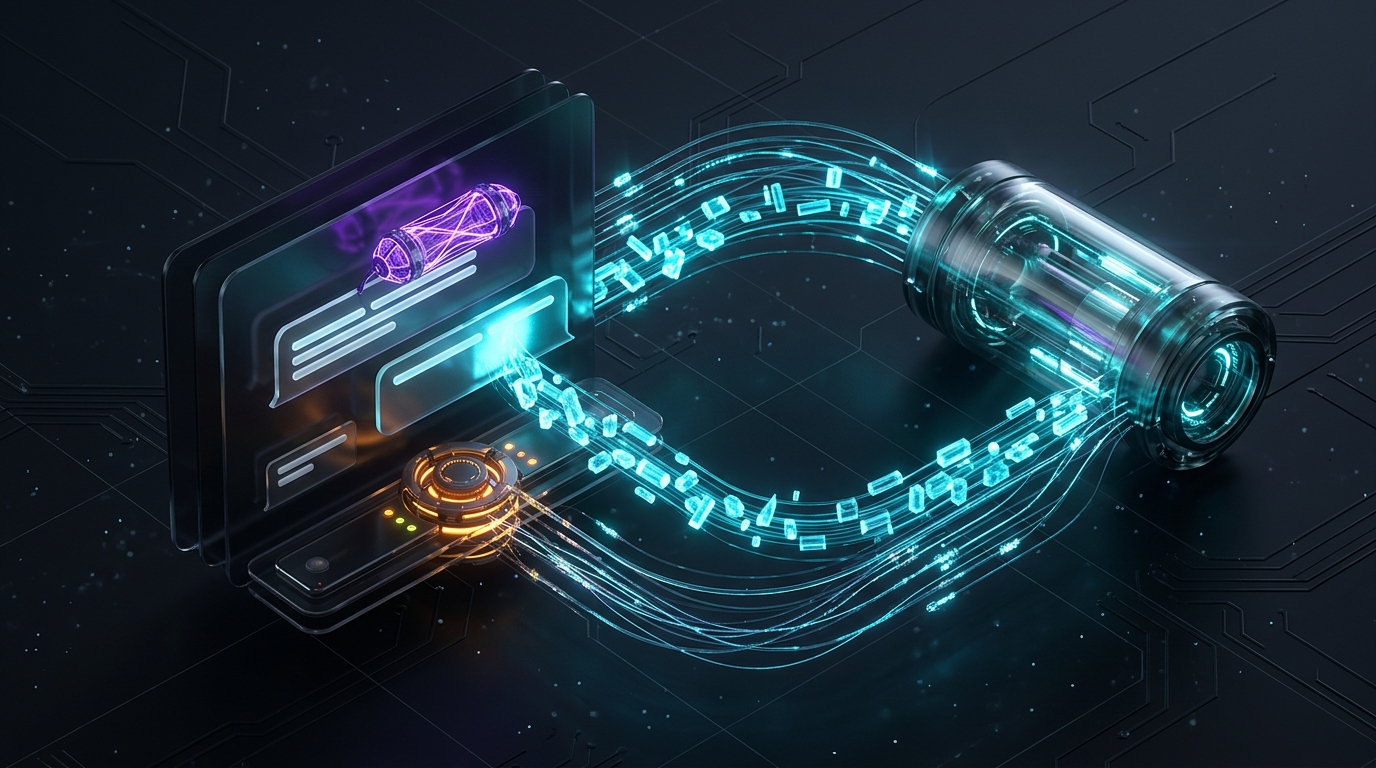
How useChat Synchronizes with /api/chat Under the Hood
When you invoke useChat({ api: '/api/chat' }) inside a Next.js Client Component, the hook establishes a structured reactive lifecycle between your React state tree and your server Route Handler.
Here is how user actions, token chunks, stream annotations, and abort signals flow between the browser and the server:
`mermaid sequenceDiagram participant User as User in Browser participant Hook as React useChat Hook participant API as Next.js POST /api/chat participant LLM as OpenAI / Claude Stream
User->>Hook: Submit prompt + dynamic body (modelId)
Hook->>Hook: Optimistically append user message & clear input
Hook->>API: POST messages[] + modelId (with AbortSignal)
API->>LLM: Start streamText()
LLM-->>API: Emit token delta chunks
API-->>Hook: Stream text frames (0:"chunk")
Hook-->>User: Batch state updates & auto-scroll UI
opt User clicks Stop Button
    User->>Hook: Invoke stop()
    Hook->>API: Trigger AbortController.abort()
end
LLM-->>API: Complete generation (usage stats)
API-->>Hook: Append message annotation (modelUsed, tokens, latencyMs)
Hook-->>User: Render final message badge & set status = ready
`
Architecture Flow Summary: When the user submits a prompt, useChat optimistically appends the user turn to local React state and sends a POST request with an AbortSignal and custom modelId body to /api/chat. As the server streams back text frames, useChat updates the active assistant message in real time, responds immediately if the user invokes stop(), and attaches server-side token and latency annotations to the message object once generation finishes.
Step 1: Upgrading /api/chat/route.ts to Stream Token Telemetry Annotations
In Post 15, our src/app/api/chat/route.ts returned result.toDataStreamResponse(). That streamed the text perfectly, but it did not send our onFinish token counts (promptTokens, completionTokens, and latencyMs) back to the client UI.
By upgrading the Route Handler to use createDataStreamResponse from the ai package, we can merge the LLM text stream and attach a strongly typed JSON annotation to the assistant message the exact millisecond generation finishes:
`typescript // src/app/api/chat/route.ts import { NextRequest, NextResponse } from 'next/server'; import { createDataStreamResponse } from 'ai'; import { z } from 'zod'; import { defaultDevPulseConfig } from '@/lib/agent/blueprint'; import { type ChatMessage } from '@/lib/agent/llm-client'; import { createAgentTextStream } from '@/lib/agent/stream-client';
export const maxDuration = 60;
const routePayloadSchema = z.object({ sessionId: z.string().default('devpulse-default-session'), modelId: z .enum(['gpt-4o', 'claude-3-5-sonnet-latest']) .default('claude-3-5-sonnet-latest'), messages: z .array( z.object({ role: z.enum(['user', 'assistant', 'system']), content: z.string().min(1), }) ) .min(1), });
export interface MessageTelemetryAnnotation { modelUsed: string; promptTokens: number; completionTokens: number; latencyMs: number; }
export async function POST(req: NextRequest) { try { const body = await req.json(); const parsed = routePayloadSchema.safeParse(body);
if (!parsed.success) {
  return NextResponse.json(
    { error: 'Invalid chat request payload.' },
    { status: 400 }
  );
}

const { messages, modelId } = parsed.data;
const normalizedMessages: ChatMessage[] = messages
  .filter((m): m is { role: 'user' | 'assistant'; content: string } =>
    m.role === 'user' || m.role === 'assistant'
  );

return createDataStreamResponse({
  execute: (dataStream) => {
    const result = createAgentTextStream(
      normalizedMessages,
      {
        ...defaultDevPulseConfig,
        modelId,
      },
      (telemetry) => {
        dataStream.writeMessageAnnotation({
          modelUsed: telemetry.modelUsed,
          promptTokens: telemetry.promptTokens,
          completionTokens: telemetry.completionTokens,
          latencyMs: telemetry.latencyMs,
        });
      }
    );

    result.mergeIntoDataStream(dataStream);
  },
  onError: (error) => {
    return error instanceof Error
      ? error.message
      : 'Stream failed on server.';
  },
});
} catch (err) { const message = err instanceof Error ? err.message : 'Unexpected server error'; return NextResponse.json({ error: message }, { status: 500 }); } } `
Look at what dataStream.writeMessageAnnotation(...) inside createDataStreamResponse accomplishes: as soon as createAgentTextStream fires its onFinish callback on the server, the SDK serializes the token counts and latency and attaches them directly to message.annotations inside React's useChat state.
Step 2: Writing a Smart Auto-Scroll Hook (useSmartAutoScroll.ts)
Before building the main chat component, we need to solve one of the most common UX bugs in streaming AI interfaces: scroll hijacking.
If you force the chat container to scroll to the bottom on every single token delta, a user who scrolls up to inspect an earlier code snippet gets violently yanked back to the bottom 50 times a second. Conversely, if you never auto-scroll, new lines stream off the bottom of the viewport.
Let us create a reusable src/hooks/useSmartAutoScroll.ts hook that tracks whether the user is near the bottom (within 60 pixels) and only auto-scrolls when they have not manually scrolled up:
`typescript // src/hooks/useSmartAutoScroll.ts 'use client';
import { useEffect, useRef, useState } from 'react';
export function useSmartAutoScroll(dependency: T) { const containerRef = useRef<HTMLDivElement | null>(null); const [shouldAutoScroll, setShouldAutoScroll] = useState(true);
function handleScroll() { const el = containerRef.current; if (!el) return;
const distanceFromBottom =
  el.scrollHeight - el.scrollTop - el.clientHeight;
setShouldAutoScroll(distanceFromBottom < 60);
}
useEffect(() => { const el = containerRef.current; if (!el || !shouldAutoScroll) return;
el.scrollTop = el.scrollHeight;
}, [dependency, shouldAutoScroll]);
return { containerRef, handleScroll, shouldAutoScroll, scrollToBottom: () => { const el = containerRef.current; if (el) { el.scrollTop = el.scrollHeight; setShouldAutoScroll(true); } }, }; } `
Step 3: Building the Production useChat Interface (DevPulseStreamChat.tsx)
Now let us build src/components/DevPulseStreamChat.tsx using useChat from ai/react (or @ai-sdk/react) alongside our useSmartAutoScroll hook. Notice how we pass body: { modelId, sessionId } directly into handleSubmit so switching between Claude 3.5 Sonnet and GPT-4o takes effect immediately on the very next turn.
`tsx // src/components/DevPulseStreamChat.tsx 'use client';
import { useState } from 'react'; import { useChat } from 'ai/react'; import { useSmartAutoScroll } from '@/hooks/useSmartAutoScroll'; import { type MessageTelemetryAnnotation } from '@/app/api/chat/route';
export default function DevPulseStreamChat() { const [modelId, setModelId] = useState<'claude-3-5-sonnet-latest' | 'gpt-4o'>( 'claude-3-5-sonnet-latest' );
const { messages, input, handleInputChange, handleSubmit, isLoading, stop, reload, error, } = useChat({ api: '/api/chat', id: 'devpulse-stream-session-01', });
const { containerRef, handleScroll, shouldAutoScroll, scrollToBottom } = useSmartAutoScroll(messages);
function onFormSubmit(e: React.FormEvent) { e.preventDefault(); if (!input.trim()) return;
handleSubmit(e, {
  body: {
    sessionId: 'devpulse-stream-session-01',
    modelId,
  },
});
}
return ( DevPulse Live Streaming Agent Powered by Vercel AI SDK useChat | TTFT ~300ms
    <select
      value={modelId}
      onChange={(e) =>
        setModelId(e.target.value as 'claude-3-5-sonnet-latest' | 'gpt-4o')
      }
      disabled={isLoading}
      className='bg-slate-950 border border-slate-700 rounded-lg px-3 py-1.5 text-xs text-slate-200 disabled:opacity-50'
    >
      <option value='claude-3-5-sonnet-latest'>Claude 3.5 Sonnet</option>
      <option value='gpt-4o'>OpenAI GPT-4o</option>
    </select>
  </div>

  <div
    ref={containerRef}
    onScroll={handleScroll}
    className='relative h-96 overflow-y-auto space-y-4 p-4 bg-slate-950 rounded-lg border border-slate-800/80'
  >
    {messages.length === 0 && (
      <div className='text-xs text-slate-500 text-center py-16 space-y-2'>
        <p>Ask DevPulse about API gateway rate limits, auth tokens, or open bugs.</p>
        <p className='text-slate-600'>
          Tokens stream in real time with per-turn telemetry annotations.
        </p>
      </div>
    )}

    {messages.map((m) => {
      const telemetry = (m.annotations?.[0] as unknown) as
        | MessageTelemetryAnnotation
        | undefined;

      return (
        <div
          key={m.id}
          className={`p-3.5 rounded-lg text-sm space-y-2 ${
            m.role === 'user'
              ? 'bg-cyan-950/40 border border-cyan-800/50 ml-12'
              : 'bg-slate-900 border border-slate-800 mr-12'
          }`}
        >
          <div className='flex items-center justify-between text-[10px] uppercase tracking-wider text-slate-400'>
            <span>{m.role === 'user' ? 'Developer' : 'DevPulse Agent'}</span>
            {telemetry && (
              <span className='text-cyan-400 font-mono lowercase'>
                {telemetry.modelUsed} • {telemetry.promptTokens} in /{' '}
                {telemetry.completionTokens} out • {telemetry.latencyMs}ms
              </span>
            )}
          </div>

          <div className='whitespace-pre-wrap leading-relaxed'>
            {m.content}
          </div>
        </div>
      );
    })}

    {!shouldAutoScroll && isLoading && (
      <button
        type='button'
        onClick={scrollToBottom}
        className='sticky bottom-2 left-1/2 -translate-x-1/2 px-3 py-1 rounded-full bg-cyan-700 text-xs font-medium shadow-lg'
      >
        Resume Auto-Scroll ↓
      </button>
    )}
  </div>

  {error && (
    <div className='p-3 rounded-lg bg-red-950/50 border border-red-800 text-xs text-red-200 flex items-center justify-between'>
      <span>Stream error: {error.message}</span>
      <button
        type='button'
        onClick={() => reload({ body: { modelId } })}
        className='px-2.5 py-1 rounded bg-red-800 hover:bg-red-700 text-white font-medium'
      >
        Retry Turn
      </button>
    </div>
  )}

  <form onSubmit={onFormSubmit} className='flex gap-2'>
    <input
      value={input}
      onChange={handleInputChange}
      placeholder='Ask a technical question or paste an error log...'
      className='flex-1 px-3.5 py-2 rounded-lg bg-slate-950 border border-slate-700 text-sm focus:outline-none focus:border-cyan-500'
    />

    {isLoading ? (
      <button
        type='button'
        onClick={stop}
        className='px-4 py-2 rounded-lg bg-amber-600 hover:bg-amber-500 text-sm font-semibold text-white'
      >
        Stop
      </button>
    ) : (
      <button
        type='submit'
        disabled={!input.trim()}
        className='px-4 py-2 rounded-lg bg-cyan-600 hover:bg-cyan-500 disabled:opacity-50 text-sm font-semibold text-white'
      >
        Send
      </button>
    )}
  </form>
</div>
); } `
A Real UI Engineering Lesson: Scroll Jitter and Stale Closure Bugs
When I was building interactive modal overlays and search state in my Movie Explorer and GitHub Issues Tracker web apps, React state updates happened in discrete events—a user typed a query or clicked an issue card, and the DOM updated once. When I built my first streaming chat UI with useChat, I naively attached a messagesEndRef.current?.scrollIntoView({ behavior: 'smooth' }) call inside a useEffect that depended on [messages].
It looked fine for a two-sentence reply, but as soon as the model streamed a 500-token code block at 70 tokens per second, the browser started queuing dozens of overlapping smooth-scroll animations per second. In Chrome, the entire chat viewport jittered uncontrollably, and even worse, when I tried scrolling up with my mouse wheel to read the top of the function while the agent was still writing the bottom, the useEffect violently yanked my scrollbar back down on every incoming token.
At the same time, I noticed that switching my model dropdown from Claude to GPT-4o was not changing the model on the backend during the first re-submission because I had passed body: { modelId } only inside the initial useChat({ body }) config object without passing the fresh state into handleSubmit(e, { body: { modelId } }). Switching from scrollIntoView({ behavior: 'smooth' }) to direct el.scrollTop = el.scrollHeight gated by a 60px bottom-threshold check (useSmartAutoScroll), and passing dynamic request options directly inside handleSubmit, made the interface feel rock-solid.
Common Mistakes When Using useChat in React and Next.js
Before we move to Phase 2 (Tool Calling and Multi-Step Reasoning) in Post 17, make sure you avoid these four frontend anti-patterns:
1. Triggering scrollIntoView({ behavior: 'smooth' }) on Every Token Delta
Never use CSS or JS smooth scrolling (behavior: 'smooth') inside an effect that runs on every streaming chunk. High-frequency token updates clash with the browser's smooth-scroll easing timer, causing severe visual stutter. Always use instant el.scrollTop = el.scrollHeight and pause auto-scrolling when the user scrolls up.
2. Using Array Index (key={ index }) Instead of key={m.id}
The useChat hook generates a stable, unique id for every message turn. If you render messages using key={idx} andlater delete, filter, or reload() a failed turn, React will misalign component state and telemetry badges across message bubbles. Always use key={m.id}.
3. Omitting the stop() Button in Production
Users frequently realize mid-stream that their prompt was ambiguous or that the agent is explaining something they already know. If you do not wire the stop function from useChat to a visible button while isLoading is true, the user's only way to halt a 1,000-token response is to refresh the entire browser tab. Wiring stop() aborts the underlying HTTP stream immediately and saves your API token budget.
4. Passing Dynamic State Only in Initial Hook Options
If your chat UI includes toggles for modelId, temperature, or project filters, passing them inside handleSubmit(e, { body: { modelId } }) and reload({ body: { modelId } }) guarantees the request payload always reflects the latest React state on the exact click event.
Frequently Asked Questions
Does useChat work with both OpenAI and Anthropic Claude streams without changing frontend code?
Yes. Because our /api/chat Route Handler uses streamText and createDataStreamResponse on the server, both OpenAI (gpt-4o) and Anthropic (claude-3-5-sonnet-latest) streams are normalized into the exact same Vercel AI Data Stream protocol before reaching the browser. Your useChat component stays 100% provider-agnostic.
How does the stop() function in useChat actually stop token generation on the server?
When a user clicks the Stop button, useChat calls .abort() on the browser's internal AbortController attached to the fetch('/api/chat') request. Next.js propagates that disconnect signal to streamText, which closes the upstream HTTP stream to OpenAI or Anthropic so you stop paying for further completion tokens.
Can useChat render tool calls and intermediate agent thinking steps, not just plain text?
Yes. In addition to message.content and message.annotations, each message object managed by useChat includes a toolInvocations array (part.type === 'tool-invocation') that tracks when an agent calls a tool, what parameters it passed, and what JSON result came back—which is the exact mechanism we will unlock in Post 17 when we add live Tool Calling to our DevPulse agent.
Need a High-Performance Web App or Custom AI Solution?
I help founders, businesses, and engineering teams build lightning-fast web applications, resilient backend architectures, and intelligent AI workflows. Have an idea in mind? Let’s bring it to life.
Found this article helpful?
Give some claps to support more in-depth engineering logs!
Zahid Hasan Tonmoy
Author & Developer
MERN Full Stack Developer & AI Agent Developer based in Dhaka, Bangladesh. Writing about web development, React, PostgreSQL and my learning journey.